COVID-19 has wreaked havoc on our lives for more than a year now. We couldn’t travel, visit with friends, go to the movies, or continue to train as we normally would. Instead, we’ve quarantined, cut ourselves of physically from friends and loved ones, and generally remained afraid to do anything that might worsen the spread of this terrible disease.
Then, a few months ago, a light began to shine at the end of this dark tunnel. The FDA announced emergency use authorization for not one but two different vaccines, both of which had an impressive safety and efficiency record.
However, with a new vaccine came a lot of misinformation. People said it would make you sicker than the actual disease it’s designed to cure. Some even said it was part of a larger government conspiracy to pacify the masses. Of course, these conspiracy theories seem crazy, but there are people out there who believe them.
Myself, I decided to rely on science and the fact speak for themselves. No other vaccine in U.S. history has undergone more intensive safety monitoring than that of the COVID vaccines. And its effectiveness at stopping the spread of the virus is impressive, to say the least. But, as with all vaccines, it’s not 100 percent certain I wouldn’t have some form of negative reaction to the vaccine.
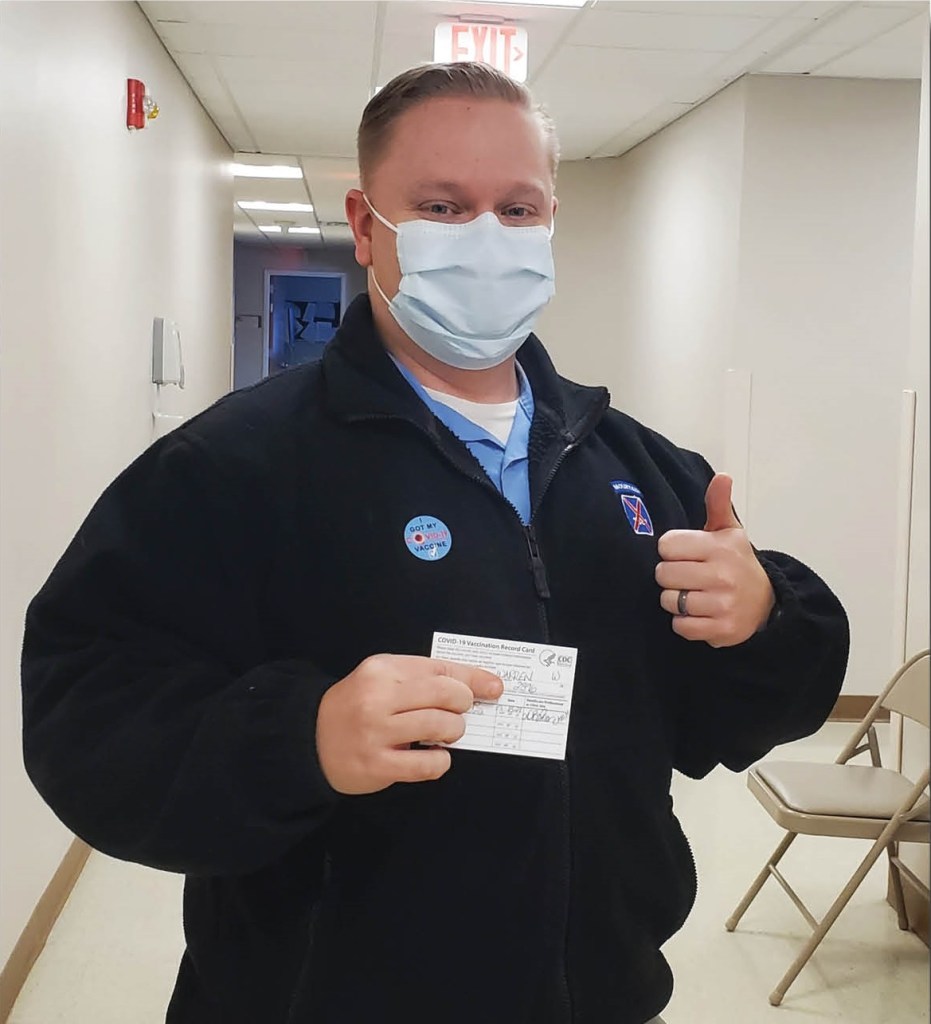
So why did I decide to get the shot? Did I think I would be at an increased risk for severe illness from COVID-19? Of course not. I’m a healthy individual, a Soldier who prides himself on maintaining a healthy lifestyle. Instead, I thought about my family. I thought about my baby boy, who was born just one week before the entire country went into lockdown. I thought about how I would feel if I contracted COVID, passed it along to him, and the risk of him becoming seriously ill. I did it for him, the rest of my family, and my community, who may not be in a position to fight off the virus as well as I likely would be able to.
So, to you, I ask, what’s stopping you? Is it because you think it’s not safe? Because it is. Is it because you believe the vaccine symptoms are worse than the virus? Because more than 19,000 vaccines have been administered on Fort Drum with only one non-severe adverse reaction recorded. Or maybe it’s because you think COVID is no worse than the flu. However, that’s just not true. The 2017-2018 flu season was the worst in the last ten years and resulted in 61,000 deaths in the U.S. COVID to date has killed more than 575,000 Americans, and that number continues to rise.
So do your part. Get the vaccine and be a part of the solution. Help protect the safety and health of our communities, our friends, and our families. Only together will we defeat COVID once and for all.
The day I received my first dose of the Pfizer COVID-19 vaccine. I got vaccinated to protect my family and my co-workers. I want to do my part to help defeat COVID and get our communities and lives back to normal.
Many of us have heard the phrase “22 A Day,” a movement aimed at eliminating veteran suicide, an epidemic that takes the lives of approximately 22 former service members a day. However, according to the National Veterans Foundation, that number may be even higher. Statistics collected show that number to be closer to 24 or 25 a day, or approximately 9,000 per year. 1 Whether that number is 22, 25, or one, the number of former service members succumbing to suicide is too high.
These brave men and women made the decision to put their nation and its people above all else and volunteered to fight for our freedom. We owe it to them to do a better job looking out for their wellbeing when they come home. We can and should do better by them.
Suicide may seem like an issue we are powerless to stop; however, nothing could be further from the truth. Each and every one of us has the power to identify veterans in our lives at risk, step in, and get them the help they need to survive and recover. By understanding the warning signs, a family member, friend, co-worker, or fellow vet will be better equipped to help someone at risk.
While major changes in mood, thought and behavior are easy signs to identify, there are some specific warning signs you should be aware of. Some of these warning signs include: 2
Mood swings.
Anxiety or agitation.
Anger or rage.
Problems sleeping.
Lack of hope.
Assuming the situation will never get better.
Loss of purpose or reason to live.
Social isolation and withdrawal from family and friends.
Behaving impulsively and without regard for safety.
Self-harm.
Increased alcohol or drug use.
While the signs above may not cause a veteran to consider suicide right away, they do merit attention. Sometimes it’s as easy as asking the question “How are you feeling?” or “Are you thinking about harming yourself?”.
In addition to the warning signs above, some require immediate attention, as they may indicate your veteran is close to attempting suicide. These signs include:
Trying to obtain a gun, pills or other means of suicide.
Carelessly handling weapons.
Giving away possessions.
Talking or writing about dying or suicide.
Looking for ways to attempt suicide.
Speaking of substance abuse, did you know approximately 1 out of every 10 veterans who served in Iraq or Afghanistan are diagnosed with alcohol or drug abuse? And substance abuse plays a significant role in suicide attempts. According to the studies, 3 about 30% of all completed suicides involved the individual using drugs or alcohol beforehand. Keeping an eye out for substance abuse problems and helping your veteran seek treatment early can help lessen the chances they look to suicide in the future.
So, what do you do when you’ve identified your veteran needs help? After speaking with them and asking them if they’re considering hurting themselves, a good place to start is by checking out the treatment options available with the VA. And if you’re not sure which treatment options are right for your veteran, you can call (877) 222-8387 for help finding the best treatment options available.
And, if you need help right away, you can call the Veterans Crisis Line at (800) 273-8255 to speak to a crisis counselor 24/7. You can also get confidential support online by going to https://www.veteranscrisisline.net/get-help/chat. Here, you can use the online chat function to speak to a qualified VA responder.
Bottom line, don’t sit on the sidelines when someone you care about is in need of help. Oftentimes, it only takes one person showing they care to change a veteran’s life for the better. Be there and help make tomorrow better than today for a veteran.
References:
1. Stop 22 Veteran Suicides a Day, NVF helps with Lifeline for Vets. (2019, October 02). Retrieved December 08, 2020, from https://nvf.org/stop-veteran-suicides/
2. U.S. Department of Veterans Affairs. (2020). Suicide prevention.
3. Teeters, J.B., Lancaster, C.L., Brown, D.G., & Back, S.E. (2017). Substance use disorders in military veterans: prevalence and treatment challenges. Substance Abuse and Rehabilitation, 8, 69–77.
For far too long, the epidemic of suicide has plagued the Department of Defense and the U.S. Army. Each year, our nation loses more veterans and active-duty service members to suicide than the total number of combat casualties in the wars in Iraq and Afghanistan combined.
So, what makes a veteran or service member so much more susceptible to suicide than their civilian counterparts?
Some believe it’s the stress from combat, which can result in post-traumatic stress, that is the leading cause of suicide in the military. And while it’s still unknown how much combat stress contributes to suicides, studies show service members take their lives for many of the same reasons as their civilian counterparts. Financial stress, relationship issues, chronic pain, and employment uncertainty are all factors associated with suicide risk in the military and the veteran community (Gauer & Fisher, 2014).
According to the Eisenhower Army Medical Center, 20% of suicide deaths annually in the U.S. are military veterans (Pittman, 2018). Again, why are the number of military and veteran suicides nearly twice as high as reported in the civilian community? The problem may stem from a culture that has long viewed asking for help, especially mental and behavioral health assistance, as a sign of weakness.
Even in today’s world, where information is readily available at the touch of a button, many service members still feel asking for help when they’re depressed will make them look weak amongst their peers. And, while military leadership is working hard to combat this mindset, it’s still up to leaders at every level, from the junior squad leader to commanding generals, to emphasize and reinforce the mentality that seeking help is not a sign of weakness, but a gesture of strength.
“When you have a toothache, you go to the dentist. When you physically injure yourself, you go see a doctor. But when you’re feeling or dealing with family and job stress, you keep it all in and think that it’s okay. Your mental health is just as important as your physical health.”
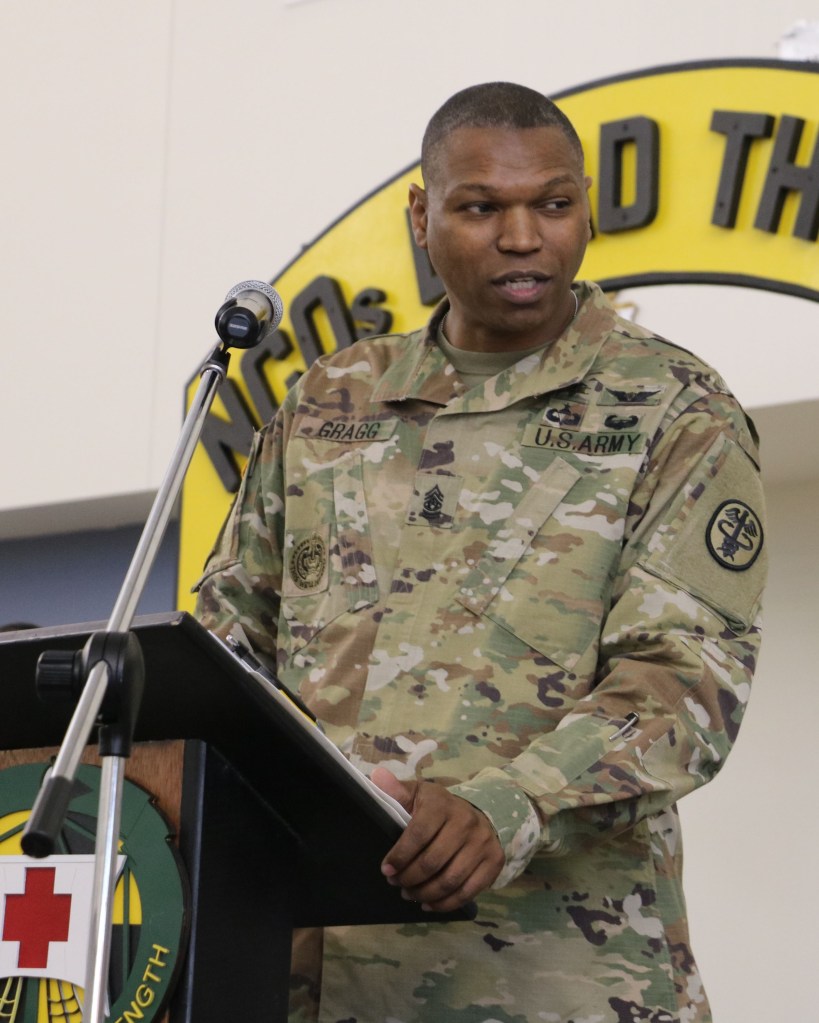
Command Sgt. Maj. Michael Gragg, Defense Health Agency senior enlisted leader
Command Sgt. Maj. Michael Gragg, the senior enlisted leader of the Defense Health Agency, said, “When you have a toothache, you go to the dentist. When you physically injure yourself, you go see a doctor. But when you’re feeling or dealing with family and job stress, you keep it all in and think that it’s okay. Your mental health is just as important as your physical health” (Giacomo, 2019).
“Routinely taking care of your mental health and getting treatment when in a crisis is not a weakness and it won’t end your career,” he added. “It shows an awareness that something isn’t right and you have the strength to want to get better.”
Furthermore, leaders must know their Soldiers. Not just who their Soldiers are at work, but also who they are at home. It’s important to understand the risk factors for suicide and speak up when something seems off. Having the courage to ask, “How are you feeling,” “Are you thinking about hurting yourself,” or “Are you considering suicide” can help a Soldier understand they’re not alone.
If the Soldier needs help, leaders and fellow Soldiers should show that they care by not passing judgment, actively listening to their story, encourage them to tell more, and accept that their situation is serious and deserving of attention (Defense Suicide Prevention Office, 2019). Next, do everything you can to encourage and expedite the Soldier getting help. Escort them to seek help, whether it be a chaplain, a behavioral health provider, or a military and family life counselor.
And seeking help becomes even more difficult after leaving the military when the camaraderie and military support chain Soldiers have come to know is suddenly gone. Having a plan to maintain that connection, even after leaving the military, is essential in successfully transitioning into the civilian world.
Each Soldier has a responsibility to help change the culture of silence within the Army. Intervention and asking for help can mean the difference between a Soldier recovering and returning to the fight or the loss of a battle buddy, forever.
If you or someone you know is in suicidal crisis or emotional distress, call the National Suicide Prevention Lifeline at 1-800-273-TALK (273-8255). Help is also available through Military OneSource at https://www.militaryonesource.mil/.
References:
Defense Suicide Prevention Office. Postvention Toolkit for a Military Suicide Loss, Department of Defense, 2019.
Gauer, Nicole, and Fisher, Patnode . “Risk and Protective Factors: Suicide in the Military.” Sophia, the St. Catherine University Repository Website, 2014.
For my final reflection assignment, I decided to revisit my logo using Adobe Illustrator. I wanted to revisit this project for two reasons. One, it was the project I received the lowest grade on, so I wanted to beef it up a bit. Secondly, out of all the Adobe programs I use, Illustrator is the one I’m the least proficient at, so I wanted to get better at it.
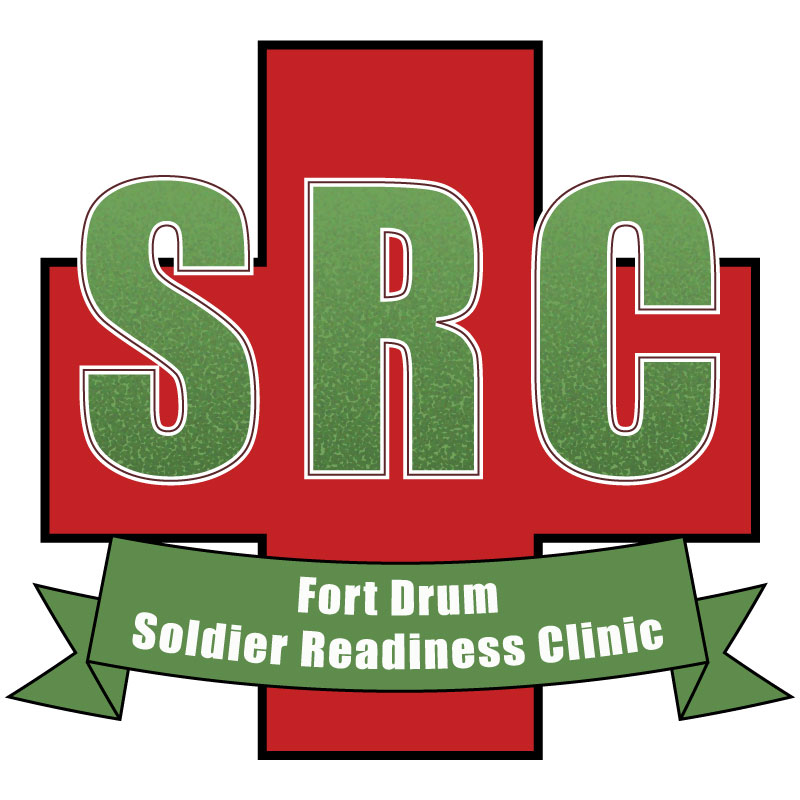
The SRC logo is important because the clinic plays a major role in the readiness of Soldiers with the 10th Mountain Division, the division my organization supports. If I were to use this logo, it needs to be recognizable to those who utilize the clinic on a daily basis. I would use it to brand the SRC and highlight what the clinic is doing via social media and other digital means.
The first thing I did when making improvements to the logo was to separate “Fort Drum” from “Soldier Readiness Clinic.” I then adjusted the size of the banner to match the single line of text and adjusted the warp. It tweaked around the position a bit to make it look like it’s hanging from the bottom of the first aid cross.
Next, I used the rectangle tool to add a new rectangle at the bottom of the logo. I changed the fill color to the same green used in the banner and added a black border. I then added the words “Fort Drum, New York” and added a drop shadow to the text.
Thank you for taking the time to revisit my logo project. I hope you enjoy it.
For my video story, I wanted to highlight our veterinary clinic on Fort Drum. With COVID-19 going on, there’s been a lot of coverage and gratitude for the outstanding work healthcare workers have done. But, it’s easy to forget those who keep the other members of our families healthy and I wanted to tell the story of how they adapted to the new norm we find ourselves in.
I began the creation of this project by coordinating a time I could shoot video and record an interview with Capt. Breanna Johnson, the Fort Drum chief of veterinary services. We agreed on a day when she had plenty of appointments and I arrived ready to shoot.
I filmed the day’s appointments and my interview on my Nikon D-7500. This was the first time I’ve tried shooting video for a story using a DLSR instead of a digital video camera. I found the quality of the video to be much better than with my work’s Panasonic P2HD.
When filming, I tried to utilize the 5-shot method as much as possible; however, the confined spaces in the exam rooms, coupled with the unpredictable movement of the pets, didn’t always make it possible.
For my interview with Capt. Johnson, I set up my Nikon on my tripod, attached a lavalier wireless microphone and an LED camera light. I then asked a series of pre-drafted questions to record some good sound bites to use in my video story.
Once all of my video was collected, I began to create my first draft by starting a new project in Premiere and imported all of my footage. I knew I wanted to create a narrative news story, so I went through my interview footage and created sub-clips of good soundbites. Once I had all of my soundbites, I knew how to draft my narrative. I then hooked my wireless mic up to my camera, recorded my narration, and dropped the file into my bin.
Now that I had all my digital media in my bin to make my story, I began organizing my audio soundbites along with my interview footage. Once everything was lined up the way I wanted, I could then start to layer supporting video on top of the narration.
I wanted to start my video with a shot of the exterior of the vet clinic, so I decided to start with a video of the clinic’s sign. I used the “dip to black” video transition to fade into the opening clip. I also used keyframes to have the audio fade in at the beginning.
I kept adding video to my timeline, adjusting the sound so it wouldn’t overpower my main audio. I wanted to ensure the start of my interview soundbites with Capt. Johnson didn’t start right away with her video, so I unlinked the video from the audio so I could drag the video and add video to go over the first part of her soundbite. Normally, I wouldn’t have to do this, but I had already placed her video on V2 instead of V1, and the supporting b-roll on V1, which means the interview footage took priority. It was just easier for me to adjust the video instead of changing everything to V1.
Toward the end of my video, I wanted a good way to direct the viewers to the vet clinic’s Facebook page, so I took a screenshot of their Facebook page, imported it into a new file in Photoshop (which I created with a 16×9 in. ration to match the video, and made a few minor edits to ensure my personal Facebook information wasn’t showing. I then dropped the newly created JPG file into my bin and added it to my timeline. I stretched it to be a reasonable length and added keyframes in the Position and Scale effects in Effect Controls to have the photo zoom out from the dog’s face to full frame. I also had to add cross dissolves to the final few video and photo clips to ensure a smooth transition between each.
Toward the end of my timeline, I ensured I had video stretch about two seconds past the end of my sign off and I added a “dip to black” transition on the video and added keyframes to the audio so it would go up after my narration and back down to fade out at the end of the timeline.
Once I was happy with the final product, I exported the media in H.264 format so it would export as an mp4 file. I then uploaded the final product to my YouTube page.
After I received some critique and feedback on my first draft, I went to work on my second draft. One of the key pointers I received was to add music to my video. Being that my video was more of a news piece, I knew I needed to move in a different direction, so I decided to transition my video into more of a multi-media project.
I started by removing all of my narration. I then began to replace my narration with text by using the Type Tool. I then went into the Graphics window and created a box by clicking and holding onto the Pen Tool, then selecting Rectangle Tool. I placed the box over the text, moved its position in the Edit box, and adjusted the opacity. I then copied and pasted the text to the other areas of the timeline, where I needed the graphic and changed the text to match what I needed in those areas. I then added various transitions to the text.
Within the text, I also changed the font color to highlight key words.
This is to help the viewer identify key pieces of information should they miss something while reading.
Next, I added credits by using the Text Tool to create additional text graphics at the end. I then used dip to black to fade the credits in and out.
For my music, I used a track from a music package I bought from Wavetracks Music. I went through the timeline and used keyframes to fade in and out the music where the interview soundbites began and ended.
I then went through and did some additional polishing of my clips to make sure the video was the best it could be.
Thank you for taking the time to watch my video. I hope you enjoy.
Fort Drum Veterinary Clinic Video Storyboard
TimestampVisuals Audio
0:00 Blank video n/a
0:00.5 Blank video Fade-in music
0:01 Fade in video of vet clinic Background music
sign
0:03 Split transition – 1st text graphic Background music
0:06 Front of building – 1st text Background music
graphic
0:10 CPT Johnson face – 1st text Background music
graphic
0:14 CPT Johnson w/ pet – 1st Background music
text graphic
0:15 CPT Johnson w/ pet – fade out Background music
1st text graphic
0:17 CPT Johnson w/ pet Fade-out background music –
fade-in Johnson interview
0:19 CPT Johnson interview – fade Johnson interview
in Johnson text
0:25 CPT Johnson interview – fade Johnson interview
out Johnson text
0:27 Close-up of dog paw Johnson interview
0:29 Soldier face close-up Johnson interview
0:32 Soldier petting dog – Fade-out Johnson interview –
fade-in 2nd text graphic fade-up background music
0:35 Close shot of clinic staff member Background music
on phone – 2nd text graphic
0:37 Close shot of clinic staff member Background music
on phone – 2nd to 3rd text graphic
wipe transition
0:39 Close shot of hands on keyboard, Background music
3rd text graphic
0:42 Mid shot of clinic Soldier, 3rd Background music
text graphic
0:44 Front of clinic shot – fade-out Background music fade-down –
3rd text graphic Fade-in Johnson interview
0:47 CPT Johnson interview Johnson interview
0:53 Clinic staff member with Johnson interview
customer at car
0:57 Cross dissolve to clinic staff Johnson interview
member bringing pet inside clinic
0:59 Staff member carrying pet – Split Fade-out interview – Fade-up
transition to 4th text graphic background music
1:00 Vet tech with cat carrier – 4rd text Background music
graphic
1:03 Close shot of vet tech face – Background music
4rd text graphic
1:06 Close shot of vet tech face – wipe Background music
transition to 5th text graphic
1:07 Cat on table, close shot – 5th text Background music
graphic
1:12 Vet techs working with cat – 5th Background music
text graphic
1:14 Vet techs working with cat – cross Background music
dissolve 5th text graphic out
1:16 Begin CPT Johnson interview Fade-down background music –
fade-up Johnson interview
1:25.5 CPT Johnson working w/ dog Johnson interview
1:30.5 Close shot of tech’s face Fade-out Johnson interview –
fade-up music
1:31 Close shot of tech’s face – split Background music
transition 6th text graphic
1:33 Close shot of hands on dog – Background music
6th text graphic
1:35 Mid shot of vet working on dog – Background music
6th text graphic
1:38 Mid shot of vet working on dog – Fade-down background music –
cross dissolve 6th graphic out fade-up Johnson interview
1:40 CPT Johnson interview Johnson interview
1:48 Zoom out shot of MWD board Johnson interview
1:53 Cross dissolve into close shot Fade-out Johnson interview –
of Soldier petting dog – fade-up background music
Split transition 7th text graphic
1:57 Cross dissolve into Facebook page Background music
photo – 7th text graphic
2:03 Cross dissolve into cat in carrier – Background music
7th text graphic
2:05 Second cat in carrier – cross Begin fade-out of background
For my video story, I wanted to highlight our veterinary clinic on Fort Drum. With COVID-19 going on, there’s been a lot of coverage and gratitude for the outstanding work healthcare workers have done. But, it’s easy to forget those who keep the other members of our families healthy and I wanted to tell the story of how they adapted to the new norm we find ourselves in.
I began the creation of this project by coordinating a time I could shoot video and record an interview with Capt. Breanna Johnson, the Fort Drum chief of veterinary services. We agreed on a day when she had plenty of appointments and I arrived ready to shoot.
I filmed the day’s appointments and my interview on my Nikon D-7500. This was the first time I’ve tried shooting video for a story using a DLSR instead of a digital video camera. I found the quality of the video to be much better than with my work’s Panasonic P2HD.
When filming, I tried to utilize the 5-shot method as much as possible; however, the confined spaces in the exam rooms, coupled with the unpredictable movement of the pets, didn’t always make it possible.
For my interview with Capt. Johnson, I set up my Nikon on my tripod, attached a lavalier wireless microphone and an LED camera light. I then asked a series of pre-drafted questions to record some good sound bites to use in my video story.
Once all of my video was collected, I created a new project in Premiere and imported all of my footage. I knew I wanted to create a narrative news story, so I went through my interview footage and created sub-clips of good soundbites. Once I had all of my soundbites, I knew how to draft my narrative. I then hooked my wireless mic up to my camera, recorded my narration, and dropped the file into my bin.
Now that I had all my digital media in my bin to make my story, I began organizing my audio soundbites along with my interview footage. Once everything was lined up the way I wanted, I could then start to layer supporting video on top of the narration.
I wanted to start my video with a shot of the exterior of the vet clinic, so I decided to start with a video of the clinic’s sign. I used the “dip to black” video transition to fade into the opening clip. I also used keyframes to have the audio fade in at the beginning.
I kept adding video to my timeline, adjusting the sound so it wouldn’t overpower my main audio. I wanted to ensure the start of my interview soundbites with Capt. Johnson didn’t start right away with her video, so I unlinked the video from the audio so I could drag the video and add video to go over the first part of her soundbite. Normally, I wouldn’t have to do this, but I had already placed her video on V2 instead of V1, and the supporting b-roll on V1, which means the interview footage took priority. It was just easier for me to adjust the video instead of changing everything to V1.
Toward the end of my video, I wanted a good way to direct the viewers to the vet clinic’s Facebook page, so I took a screenshot of their Facebook page, imported it into a new file in Photoshop (which I created with a 16×9 in. ration to match the video, and made a few minor edits to ensure my personal Facebook information wasn’t showing. I then dropped the newly created JPG file into my bin and added it to my timeline. I stretched it to be a reasonable length and added keyframes in the Position and Scale effects in Effect Controls to have the photo zoom out from the dog’s face to full frame. I also had to add cross dissolves to the final few video and photo clips to ensure a smooth transition between each.
Toward the end of my timeline, I ensured I had video stretch about two seconds past the end of my sign off and I added a “dip to black” transition on the video and added keyframes to the audio so it would go up after my narration and back down to fade out at the end of the timeline.
Once I was happy with the final product, I exported the media in H.264 format so it would export as an mp4 file. I then uploaded the final product to my YouTube page.
Thank you for taking the time to watch my video. I hope you enjoy.
Fort Drum Veterinary Clinic Video Storyboard
TimestampVisuals Audio
0:00 Blank video n/a
0:02 Fade into Vet clinic sign Breeze fade-in
0:04 Vet clinic sign Begin narration
0:06 Building front Narration
0:10 CPT Johnson – close Narration
0:14 CPT Johnson w/ pet – mid Narration
0:17 cont. CPT Johnson w/ pet– mid Begin CPT Johnson interview
0:18 CPT Johnson interview CPT Johnson interview
0:26 Close-up of dog paw CPT Johnson interview
0:29 Soldier face close-up CPT Johnson interview
0:32 Soldier petting dog Begin narration
0:35 Close shot of clinic staff Narration
member on phone
0:39 Close shot of hands on keyboard Narration
0:42 Mid shot of clinic staff Narration
member on phone
0:44 Front of clinic shot Begin second part of CPT Johnson
interview
0:47 CPT Johnson interview CPT Johnson interview
0:53 Clinic staff member with CPT Johnson interview
customer at car
0:56 Clinic staff member bringing pet CPT Johnson interview
inside clinic
1:00 Vet tech with cat carrier Begin narration
1:03 Close shot of vet tech face Narration
1:07 Cat on table, close shot Narration
1:12 Vet techs working with cat Narration
1:16 Begin CPT Johnson interview Begin CPT Johnson interview
1:26 CPT Johnson working with dog CPT Johnson interview
1:30 Close shot of tech’s face Begin narration
1:33 Close shot of hands on dog Narration
1:35 Mid shot of vet working on dog Narration, begin CPT Johnson
interview
1:40 Begin CPT Johnson interview CPT Johnson interview
1:47 Zoom out shot of MWD board CPT Johnson interview
1:53 Cross dissolve into close shot Begin narration
of Soldier petting dog
1:57 Cross dissolve into photo of Narration
Vet Clinic Facebook page
2:03 Cross dissolve into cat in carrier Narration to sign off
2:05 Second cat in carrier -fade Sign off narration
For my audio story, I decided I wanted to tell the story of a program at work in which I have a ton of respect for. I decided I wanted to tell the story of the Fort Drum CenteringPregnancy program. You can get a bit of an idea as to what the program is through my draft audio story.
As I already knew quite a bit about the program and had regular interactions with the program’s manager, much research wasn’t required to know what direction I wanted my story to take. I did do a little bit of research on typical prenatal doctor visits, of which I could compare with the Centering program.
Next, I contacted the program’s manager, Maj. Laurey Tyson, at the Fort Drum OB/GYN clinic, to arrange for the interview. Seeing as how I was already in the Maternity ward with my wife after having our sixth son on Tuesday, going across the medical campus to the OB/GYN department wasn’t a problem. I had to record the interview on my cell phone as I didn’t have my audio recorder with me.
After completing what turned out to be a relatively long interview with Maj. Tyson, I went to work on recording my narration based on the script I had drafted earlier. This time, I did have my audio recorder with me. However, after comparing the two recordings, I realize I should have used the same source for both recordings.
Now that I had all of my recordings complete, I began working on developing my draft audio story.
For my initial draft, I began by creating a new multi-track session in Adobe Audition in 16-bit at 44100Hz stereo. I then copied all of my audio files to the Files tab. I then double-clicked on my narration track, opening the track in editor.
I could then select specific parts of my audio using the “i” key and “o” keys to create ins and outs which I could then insert into the multi-track.
Once I had my first clip added to the track, I began cutting down on some of the portions which sounded awkward and used Fade-in and Fade-out to make my track sound smoother.
Then, I did the same thing with the portion of Maj. Tyson’s audio I wanted to include next. She had a few “ums” in her interview, so I cut those out and smoothed out the cut areas. I also used some of the background noise to help transition the ins and outs of the clip.
I then repeated the process with the rest of my narrations and interviews. I then realized I forgot to introduce Maj. Tyson when I recorded my initial narration, so I went back and recorded that part and inserted it into the multi-track.
Next, I wanted to make sure my audio gain matched as close as possible between the narration and the interview, so I played around with the audio gain on all tracks to make the bulk of the voice hit between -12 and -6 dB in the levels. After moving tracks around a bit to make them sound natural, and adjusting some of the fades, I finally had a final draft complete.
I then exported the file by going to File – Export – Multitrack Mix Down – Entire Session… Then, I uploaded the track to my Soundcloud account and embedded the track to my WordPress blog using the same methods as during last week’s tutorials assignment.
After reviewing some of the feedback on my draft, I decided it would be a good idea to add a little bit of music to help enhance the story. I found a royalty-free song that matched the mood of my story on BenSound.com. However, to add music at the beginning and the end of my story, I had to find a way to shorten it as it was already right at three minutes long.
So, I decided to re-record my narration; this time, using the same device I used to record my interview with Maj. Tyson. That way, the sound would hopefully match up a little better. I also shortened my narration by about 10-15 seconds, which gave me enough time on either end to add music to the piece.
After adding the music track, I used both the fade-in / fade-out feature at the beginning and the end.
I also helped make the volume transition sound a little more natural by adding keyframes at key points to ensure the music dipped at the right time when the narration began and vice-versa at the end. I then cut in my new narration the same way I added my narration during my draft, and I had a final product I was much happier with than my initial attempt. I hope you like it.
For my audio story, I decided I wanted to tell the story of a program at work in which I have a ton of respect for. I decided I wanted to tell the story of the Fort Drum CenteringPregnancy program. You can get a bit of an idea as to what the program is through my draft audio story.
As I already knew quite a bit about the program and had regular interactions with the program’s manager, much research wasn’t required to know what direction I wanted my story to take. I did do a little bit of research on typical prenatal doctor visits, of which I could compare with the Centering program.
Normally, I would wait until after I’ve captured all my interviews before working on a script for my narration. However, because of what I already knew about the program, I was able to draft a narration script before recording any interviews. I knew I wanted to talk about three aspects of the program; 1 – what the program is, 2 – what the benefits of the program are, and 3 – why the Army has become so invested in the program. I used this to determine which questions I would ask.
Next, I contacted the program’s manager, Maj. Laurey Tyson, at the Fort Drum OB/GYN clinic to arrange for the interview. Seeing as how I was already in the Maternity ward with my wife after having our sixth son on Tuesday, going across the medical campus to the OB/GYN department wasn’t a problem. I had to record the interview on my cell phone as I didn’t have my audio recorder with me.
After completing what turned out to be a relatively long interview with Maj. Tyson, I went to work on recording my narration based on the script I had drafted earlier. This time, I did have my audio recorder with me. However, after comparing the two recordings, I realize I should have used the same source for both recordings. Now that I had all of my recordings complete, I began working on developing my draft audio story.
I began by creating a new multi-track session in Adobe Audition in 16-bit at 44100Hz stereo. I then copied all of my audio files to the Files tab. I then double-clicked on my narration track, opening the track in editor. I could then select specific parts of my audio using the “i” key and “o” keys to create ins and outs which I could then insert into the multi-track.
Once I had my first clip added to the track, I began cutting down on some of the portions which sounded awkward and used Fade In and Fade Out to make my track sound more smooth.
Then, I did the same thing with the portion of Maj. Tyson’s audio I wanted to include next. She had a few “ums” in her interview, so I cut those out and smoothed out the cut areas. I also used some of the background noise to help transition the ins and outs of the clip.
I then repeated the process with the rest of my narrations and interviews. I then realized I forgot to introduce Maj. Tyson when I recorded my initial narration, so I went back and recorded that part and inserted it into the multi-track.
Next, I wanted to make sure my audio gain matched as close as possible between the narration and the interview, so I played around with the audio gain on all tracks to make the bulk of the voice hit between -12 and -6 dB in the levels. After moving tracks around a bit to make them sound natural, and adjusting some of the fades, I finally had a final draft complete.
I then exported the file by going to File – Export – Multitrack Mix Down – Entire Session… Then, I uploaded the track to my Soundcloud account and embedded the track to my WordPress blog using the same methods as during last week’s tutorials assignment.